Discover music inside your DISCO

Music supervisor DISCO accounts have access to a discovery layer that goes beyond your own library - the Discover Music area and MultiDISCO Search. Together, they give you access to thousands of opted-in Catalogs from labels, publishers, sync agencies, and production libraries, searchable from inside the same workspace where your own catalog, playlists, and sharing workflows already live.
alternatetext
Chat icon
Transcript
CONTENTS

In this article

You'll learn how to:

  • browse and search the Discover Music area
  • favorite Catalogs and manage access
  • pull tracks from a Catalog into your DISCO workflow
  • use MultiDISCO Search to find tracks across thousands of Catalogs at once

The Discover Music area

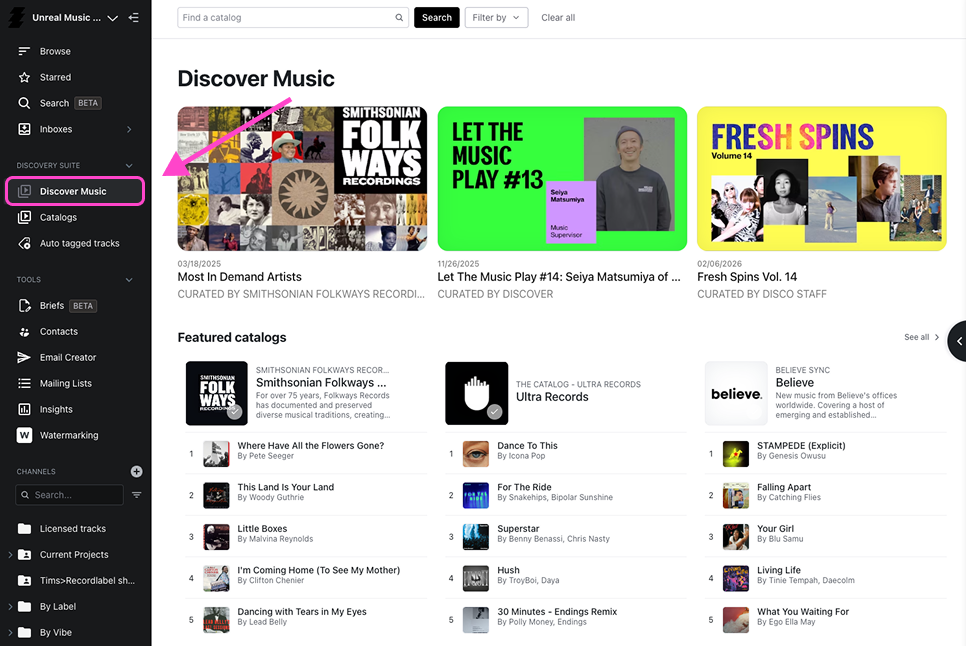
Open the Discover Music browser from the sidebar inside your DISCO account. This area is only visible to verified music supervisor accounts.

Inside you will find thousands of opted-in DISCO Catalogs from rights holders around the world - major labels, indie publishers, sync agencies, production libraries, boutique licensing companies, and more. The homepage features Catalogs across several sections:

  • Featured Catalogs - a curated selection highlighted at the top
  • Categories - themed groupings like Trailer Music, Boutique Licensing, Artist Management, and territory-based collections
  • All Catalogs - every opted-in Catalog, searchable by description

Use the search bar at the top of the All Catalogs area to find Catalogs by description. Rights holders write their own descriptions, so the more specific the description, the more findable they are. Filter results using the options on the right to narrow by type or category.

Click any Catalog to open it in a new tab and start exploring.

Favorite Catalogs and manage access

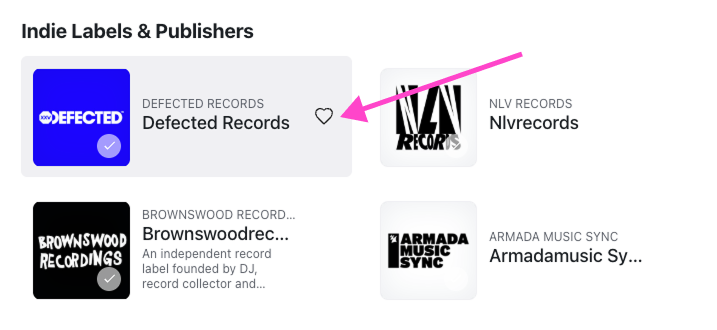
When you find a Catalog worth returning to, hover over it in the Discover Music area and click the star icon to favorite it. Favorited Catalogs are easy to access again without searching.

Catalogs marked with a checkmark have Easy Access enabled - meaning you have pre-approved download and Save to DISCO permissions. You can filter to see only Easy Access Catalogs using the toggle in the Discover Music area.

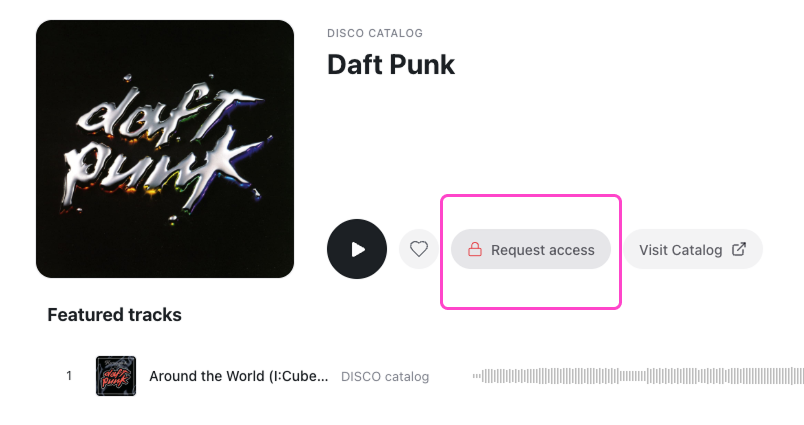
For Catalogs without Easy Access, you can request access by hovering over the Catalog menu. The Catalog owner will approve or decline, and you will be notified when access is confirmed.

Pull tracks from a Catalog into your workflow

Once you are inside a Catalog, you can save tracks or entire playlists straight to your DISCO. From there they are immediately available to add to playlists, review, share, or pitch - without downloading anything to your computer first.

See the Navigate a DISCO Catalog article for a full walkthrough of searching, filtering, and working with tracks inside a Catalog.

MultiDISCO Search

MultiDISCO Search is built directly into your DISCO search bar. You do not need to go anywhere - music from Catalogs around the world appears alongside your own results automatically.

When you run a search in your DISCO, results come back from two places simultaneously: your own library, and every opted-in DISCO Catalog across the ecosystem. The strongest matches from outside your library appear below your own results, each one linked back to the Catalog it came from.

This means a single search can surface tracks from hundreds of Catalogs at once - organized, ranked, and actionable from the same place you already search every day.

When you find a track you want through MultiDISCO Search, drag it straight into the Playlist Creator to pull it into your workflow immediately.

Wrap up

The Discover Music area and MultiDISCO Search give you access to a vast, searchable ecosystem of music from rights holders who have specifically opted in to work with supervisors. Combined with your own library and DISCO's standard search and playlist tools, it means less time hunting across multiple platforms and more time moving the right music through your workflow.

Questions answered

How can I search DISCO Catalogs?

Is there a way to discover other DISCO users’ content?

How  can I search in the Discover Music area?

How can I get my music discovered by Music Supervisors?