


In this article
You’ll learn how to:
- Search tracks from opted-in DISCOs on the Search page
- Browse and search the Discover Music area
- Favorite Catalogs and manage access
- Pull tracks from a Catalog into your workflow
Search opted-in DISCOs from the Search page
On the Search page, use the Source filter to include tracks from other rights holders’ Catalogs in your results. Your tracks and theirs appear in one list, ranked by relevance. The Source column shows which Catalog each track comes from.
Source works with Similarity Search and metadata filters. That means a reference-track search, a BPM range or a genre filter covers other Catalogs the same way it covers your own music collection.
Search covers Easy Access Catalogs, so you can download or save any track you find without asking for permission. Some Catalogs need you to request access first. Those don’t appear in search, but you can find them in the Discover Music area.
When you find something that fits, drag it into the Playlist Creator to start working with it.

The Discover Music area
Open Discover Music from the sidebar. Only verified music supervisor accounts can see it.
It holds Catalogs from rights holders around the world: major labels, indie publishers, sync agencies, production libraries and boutique licensing companies. The homepage has three sections:
- Playlists - curated by guest music supervisors and the DISCO team
- Featured Catalogs - a highlighted selection at the top of the page
- Categories - themed groups such as Trailer Music, Boutique Licensing, Artist Management and territory-based collections
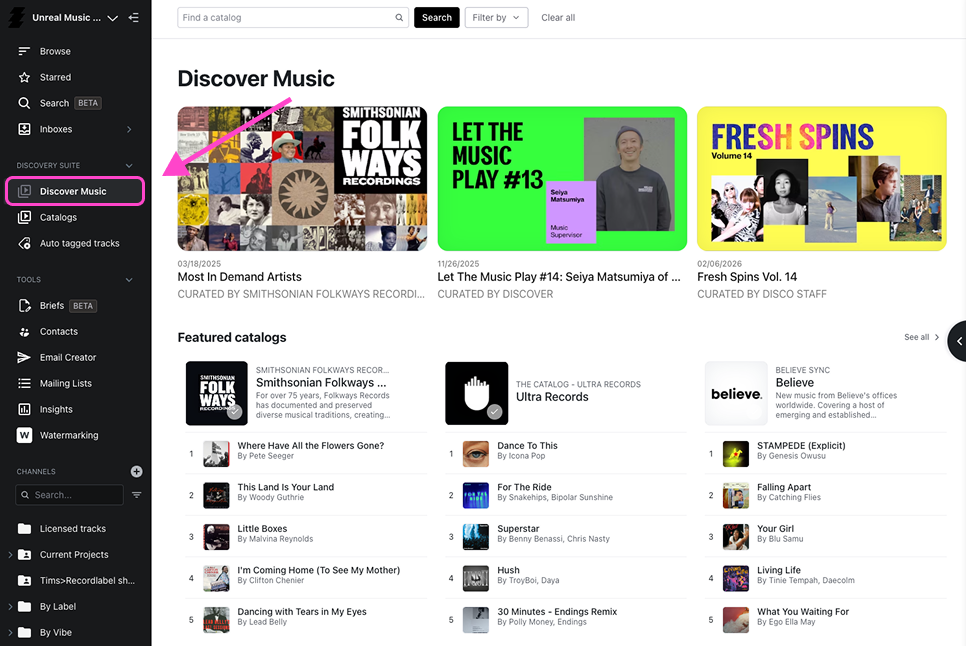
Use the search bar to find Catalogs by name or description, and the filters on the right to narrow by type or category. Click a Catalog to preview its tracks in a new tab.
Use the Search page when you’re looking for a specific sound across everything. Use Discover Music when you want to get to know a rights holder’s Catalog as a whole.

Favorite Catalogs and manage access
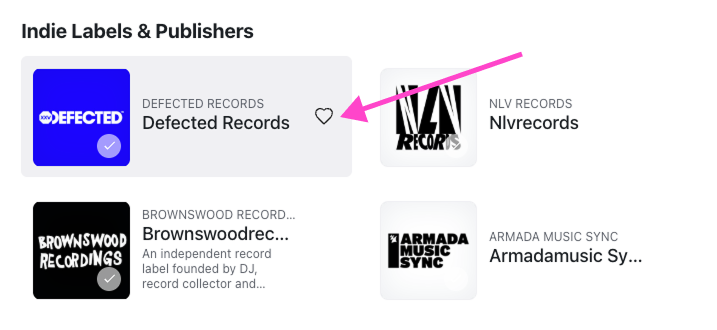
Hover over a Catalog and click the heart to favorite it, so you can find it again without searching.
A checkmark means the Catalog has Easy Access, so you already have download and Save to DISCO permissions. Use the Easy Access toggle to show only these Catalogs.
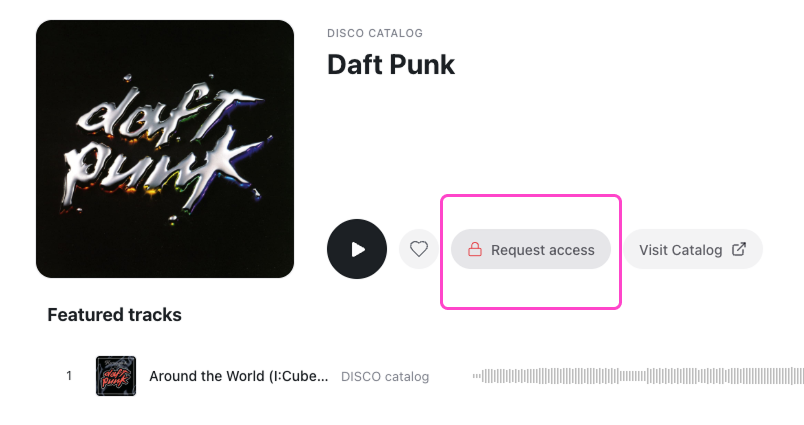
For any other Catalog, open the preview and click Request access. The owner approves or declines, and you’ll be notified either way.
Pull tracks from a Catalog into your workflow
When you’re browsing a Catalog, you can save single tracks or whole playlists to your DISCO. You can then add them to playlists, review them, share them or pitch them, all without downloading anything to your computer.
For searching and filtering inside a single Catalog, see Navigate a DISCO Catalog.
Wrap up
The Source filter and Discover Music give you a searchable pool of music from rights holders who have chosen to work with supervisors. Because they sit next to your own library and your usual search and playlist tools, you can check outside Catalogs without moving between platforms.